TL;DR:
- Google has discontinued its native Google Business Messages chat feature, replacing it with WhatsApp or SMS contact buttons. The new AI integration called Gemini helps manage profile data, reviews, and performance metrics but does not offer real-time messaging. Businesses should diversify messaging channels to reach customers effectively and adapt their workflows accordingly.
Google Business Profile chat is the messaging capability businesses can enable on their Google listing, currently limited to WhatsApp or SMS contact links after Google discontinued its native in-dashboard messaging tool in july 2024. The original feature, called Google Business Messages, let customers start conversations directly inside Google Search and Maps. That feature is gone. What remains is a contact method system, plus a new AI-powered management layer through Google Gemini that changes how you engage customers entirely.
What happened to Google Business Messages?
Google Business Messages was the native chat tool built directly into Business Profiles. Customers could tap a “Message” button in Google Search or Maps and start a real-time conversation without leaving Google. For local businesses, it felt like a direct line to buyers at the exact moment of intent.
Google shut down that feature in two stages. New conversations were disabled on july 15, 2024. Full discontinuation followed on july 31, 2024. Any business still seeing missing chat messages in their dashboard is not experiencing a bug. The feature was retired, and Google has confirmed this officially.
“Missing chat messages are not a technical error. Google Business Messages was permanently discontinued on July 31, 2024, and the feature will not return in its original form.”
The reasons Google gave were limited. The official communication focused on deprecation rather than detailed explanation. What is clear is that Google chose to redirect its investment toward AI-powered tools like Gemini rather than maintain a real-time chat infrastructure. Business owners who built customer workflows around Business Messages had to adapt quickly.
The confusion persists because the terminology overlaps. Many owners still search for “Google Business Profile chat” expecting to find the old inbox. What they find instead are the newer contact method options, which work very differently. Understanding that distinction saves you from chasing a feature that no longer exists.
How can local businesses use business profile chat features today?
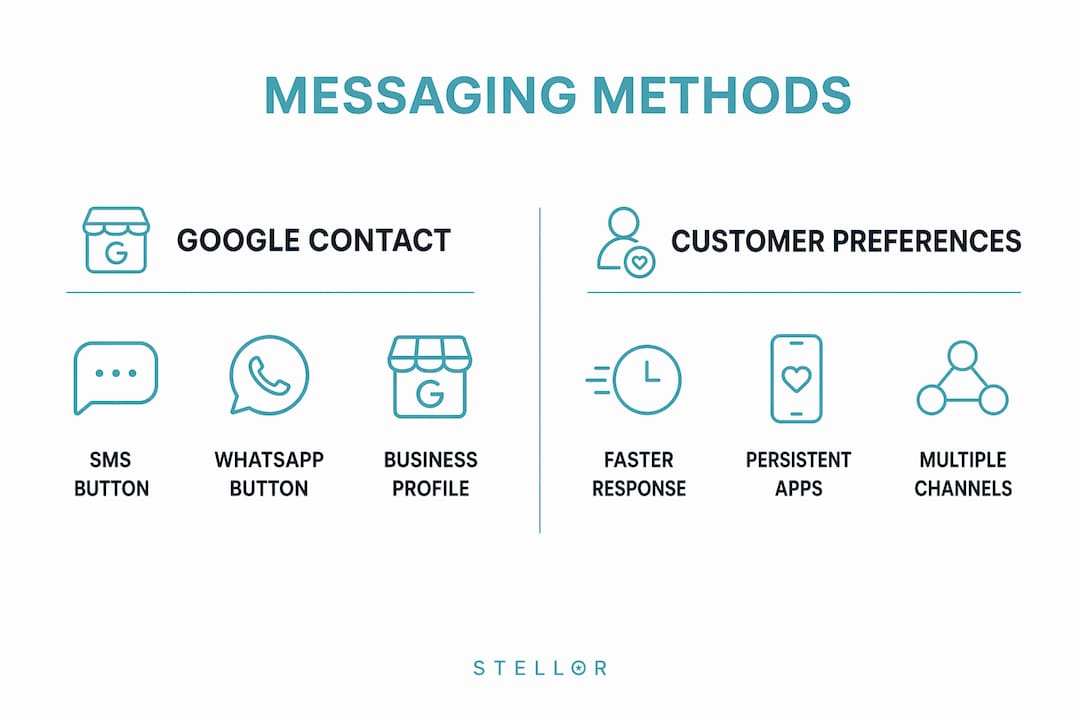
The current version of Google Business messaging is not a chat inbox. It is a contact button system. When enabled, your Business Profile displays a button that opens WhatsApp or sends an SMS directly from the customer’s phone. The conversation then happens inside those apps, not inside Google.

Eligibility is not universal. WhatsApp and SMS options are available to businesses in select regions only, and availability depends on your profile type and verification status. If you do not see the option in your dashboard, your profile or region may not qualify yet.
Here is how to set it up when the option is available:
- Sign in to your Google Business Profile at business.google.com.
- Select the profile you want to edit.
- Go to “Edit profile” and look for the “Contact” section.
- Find the messaging or chat contact options and add your WhatsApp number or SMS-capable phone number.
- Save your changes. The button will appear on your listing within a short period.
One critical detail: if you add both WhatsApp and SMS as contact methods, Google only displays the SMS button to customers. WhatsApp will not appear. Choose the channel your customers actually use before deciding which to enable.
Pro Tip: For home service businesses like cleaning companies or contractors, WhatsApp tends to drive higher response rates because customers can send photos of the job site directly. Check how communication tools in home services affect customer satisfaction before choosing between SMS and WhatsApp.
Response time still matters even with the new setup. Customers who tap a messaging button expect a reply within minutes, not hours. Set up auto-replies inside WhatsApp Business or your SMS platform to acknowledge inquiries immediately.
What alternatives and best practices exist for customer messaging?
The discontinuation of native Google chat reflects a broader industry shift. Conversational commerce now favors the private messaging apps where customers already spend their time, rather than platform-specific chat tools that require customers to stay inside one ecosystem. That shift works in your favor if you meet customers where they are.
The most effective approach combines multiple messaging channels:
- WhatsApp Business: Supports rich media, catalogs, and automated replies. Dominant in most markets outside North America.
- SMS: Universal reach with no app required. Works for every customer regardless of smartphone type.
- RCS (Rich Communication Services): The next-generation SMS standard that supports images, buttons, and read receipts on Android devices.
- Facebook Messenger: Still relevant for businesses with active Facebook audiences, particularly in retail and hospitality.
- Apple Business Chat: Reaches iPhone users directly through iMessage, useful for premium service businesses.
Diversifying your messaging channels improves both reach and customer satisfaction. A customer who cannot reach you on Google may find you on WhatsApp. A customer who ignores SMS may respond to Messenger. The goal is to remove friction at every point of contact.
Customer behavior consistently favors persistent messaging apps over web-based chat tools. Conversations in WhatsApp or SMS do not disappear when a browser tab closes. That persistence builds trust and makes follow-up easier for both sides.
How does the new Google Gemini integration change Business Profile engagement?
Google launched Gemini app integration with Business Profiles in june 2026. This is not a chat replacement. It is an AI-powered management layer that changes how you interact with your profile data, reviews, and performance metrics.
| Gemini feature | What it does |
|---|---|
| Performance insights | Reads your profile metrics and surfaces trends in plain language |
| Review response drafting | Generates reply suggestions for customer reviews based on tone and content |
| Profile updates | Lets you update business hours, descriptions, and services through conversation |
| Engagement analysis | Summarizes how customers are interacting with your listing over time |
The Gemini integration requires a personal Google account linked to a single verified Business Profile. Access is through the Gemini web app, not the mobile app. Businesses in the European Economic Area and the United Kingdom are currently excluded from this feature.
Gemini acts as a proxy for engagement by reading your reviews, analyzing performance data, and drafting replies without requiring you to monitor a live chat inbox. That shift reduces the pressure of 24/7 manual management. For a solo operator running a plumbing business or a two-person marketing team managing multiple locations, that efficiency matters.
The broader implication is that Google is moving Business Profile management from reactive chat toward proactive AI assistance. Instead of waiting for a customer message to arrive, Gemini helps you stay on top of your profile health, respond to reviews faster, and understand what is driving or hurting your local visibility.
Pro Tip: Use Gemini’s review response drafts as a starting point, not a final answer. Edit the tone to match your brand voice before posting. Customers notice when replies feel generic, and a personal touch on a Google review response builds more trust than a polished but impersonal template.
For businesses focused on local SEO fundamentals, Gemini’s performance insights add a layer of intelligence that was previously only available through third-party analytics tools. You can now ask Gemini why your profile views dropped last month and get a data-backed answer without exporting a spreadsheet.
Key takeaways
Google Business Profile chat today means SMS or WhatsApp contact buttons, not a native inbox, and the Gemini integration now handles AI-powered review management and performance analysis in place of real-time messaging.
| Point | Details |
|---|---|
| Native chat is gone | Google Business Messages shut down permanently on july 31, 2024. |
| Current chat options | Eligible businesses can add WhatsApp or SMS contact buttons to their profile. |
| SMS takes priority | Adding both WhatsApp and SMS results in only the SMS button showing to customers. |
| Gemini replaces manual chat | AI drafts review responses, reads metrics, and updates profile info via the Gemini web app. |
| Multi-channel messaging wins | Combining SMS, WhatsApp, and RCS reaches more customers than any single platform. |
What I have learned watching Google Business chat evolve
There is a temptation to treat the loss of Google Business Messages as a setback. I understand that reaction. For local businesses, a direct chat button inside Google Search felt like prime real estate. Customers were already there, already searching, and one tap away from a conversation.
But the businesses I see thriving right now are the ones who stopped waiting for Google to restore something it clearly has no intention of restoring. They moved their messaging to WhatsApp Business, set up SMS auto-replies, and started treating Google as a discovery engine rather than a communication platform. That mental shift changes everything.
The Gemini integration is genuinely useful, but only if you treat it as a management tool rather than a customer service tool. It will not replace the human side of responding to a frustrated review or answering a nuanced service question. What it does well is surface the information you need to make faster decisions about your profile. Use it for that.
My honest advice: audit your current contact methods today. If you are still relying on a chat button that no longer exists, you are losing inquiries to silence. Add WhatsApp or SMS, pick the one your customers actually use, and build a response workflow around it. Then use Gemini to stay on top of your reviews and profile performance without burning hours every week.
Staying visible in AI-driven search also requires more than a well-managed profile. Businesses that want to appear in AI recommendations need content, backlinks, and structured data working together. A clean Business Profile is the foundation, not the ceiling.
— Cole
Trystellor helps local businesses stay ahead of Google’s changes
Google keeps shifting how Business Profiles work, and keeping up while running an actual business is a real challenge. Trystellor is built for exactly that situation.
Trystellar’s platform publishes 30 SEO and GEO-optimized articles per month to your site, runs weekly technical audits, builds authority through a 4,000-site backlink network, and tracks your visibility across ChatGPT, Claude, Perplexity, and Gemini every week. All of that replaces five separate vendor subscriptions for $199 per month. You get a free AI Visibility Audit within 48 hours of setup, no credit card required. See what Trystellor’s full platform capabilities can do for your local search presence.
FAQ
What replaced Google Business Messages after it shut down?
Google replaced native Business Messages with WhatsApp and SMS contact buttons. Eligible businesses in select regions can add these to their profile through the Business Profile dashboard.
Why are my Google Business chat messages missing?
Missing chat messages are not a bug. Google Business Messages was discontinued on july 31, 2024, and the feature no longer exists in any form.
Can I add both WhatsApp and SMS to my Business Profile?
You can add both, but only the SMS button will display to customers. Google shows one messaging button at a time, and SMS takes priority over WhatsApp.
What is the Gemini Business Profile integration?
Gemini’s integration links your verified Business Profile to Google’s AI assistant, allowing it to draft review responses, analyze performance metrics, and update profile details. It launched in june 2026 and is available via the Gemini web app, excluding EEA and UK regions.
Does Google Business Profile chat affect local SEO rankings?
Customer engagement signals from your profile, including messaging activity and review responses, contribute to local map pack rankings. Faster responses and active profile management signal relevance to Google’s local search algorithm.