TL;DR:
- Pillar page SEO builds a comprehensive core page linked to detailed subtopic pages to signal authority to search engines. This hub-and-spoke structure improves keyword coverage, crawl efficiency, user navigation, and backlink strength, boosting long-term organic growth. Regular updates, internal linking, schema markup, and advanced internal linking strategies sustain and amplify its ranking power.
Pillar page SEO is the practice of building one comprehensive page around a broad topic, then linking it to a set of detailed subtopic pages called cluster pages. This hub-and-spoke structure signals topical authority to Google, helps your site rank for dozens of related keywords, and makes it easier for AI answer engines like ChatGPT and Perplexity to extract and cite your content. Done right, it is the most efficient content architecture decision you can make for long-term organic growth.
What is pillar page SEO and how does the model work?

A pillar page covers a broad topic in full, while cluster pages each address a specific subtopic in depth. The pillar links out to every cluster page, and each cluster links back to the pillar. That reciprocal linking pattern is not just a publishing format. It is a ranking signal that creates a topical authority scaffold search engines can read clearly.
Think of it like a library catalog. The pillar page is the subject heading. Each cluster page is a book in that section. Google reads the connections between them and concludes your site owns that topic. The result is that your pillar page can rank for the broad head term, while cluster pages rank for the long-tail variations underneath it.
The model also benefits users. A reader landing on your pillar page can navigate directly to the specific subtopic they need. That reduces bounce rate and increases time on site, both of which reinforce your authority signals over time.
- Pillar page: Broad topic, 2,000+ words, links to all cluster pages
- Cluster page: Specific subtopic, 800–1,500 words, links back to the pillar
- Internal links: Use descriptive anchor text that names the subtopic, not generic phrases like “read more”
- Schema markup: Apply FAQPage or HowTo schema to the pillar where content justifies it
Pro Tip: Write your pillar page first, then build cluster pages around the gaps it reveals. This prevents you from publishing shallow cluster content that duplicates the pillar instead of extending it.
What are the key benefits of pillar pages for SEO?
Pillar pages let a single content investment rank for multiple keywords at once. Topical depth through linked clusters communicates relevance across the full topic to search engines, not just for the exact phrase on the page. That means one well-built pillar can generate traffic from dozens of related queries simultaneously.
The benefits extend beyond keyword coverage:
- Broader keyword rankings. Cluster pages target long-tail variations. The pillar captures head terms. Together, they cover the full search demand curve for a topic.
- Improved crawl efficiency. A clear hub-and-spoke structure gives Googlebot a logical path through your site. Pages that are hard to reach get crawled less often and rank lower.
- Better user navigation. Readers find what they need faster when content is organized by topic rather than by publish date or category.
- Backlink consolidation. External sites tend to link to comprehensive resources. A well-built pillar page attracts more inbound links than a shallow post, and those links flow authority to the entire cluster.
- Faster ranking gains. Launching a complete topic cluster can raise organic traffic to both the pillar and cluster pages within weeks of publication.
The compounding effect is the real advantage. Each new cluster page you add strengthens the pillar’s authority, which in turn boosts the cluster pages. The model builds on itself over time.
How to create effective pillar pages: best practices
Building a pillar page that actually ranks requires planning before writing. The most common mistake is choosing a topic that is either too narrow (not enough subtopics) or too broad (impossible to cover with depth). The right topic has at least six to eight distinct subtopics you can turn into cluster pages.

Choose the right topic and structure
Start with keyword research. Your pillar topic should have a high-volume head term with clear informational intent. “Content marketing,” “local SEO,” and “email marketing” are classic pillar topics. Each has enough depth to support a full cluster. Pre-planning coverage scope before production lets you build meaningful authority rather than a pile of shallow pages.
Build your internal linking from day one
Add links to cluster pages as soon as you publish them. Do not wait until the cluster is complete. Early internal links help Google discover new pages faster and begin passing authority sooner. Use anchor text that describes the destination page’s topic specifically.
| Element | Best Practice | Why It Matters |
|---|---|---|
| Anchor text | Descriptive, topic-specific phrases | Tells Google what the linked page covers |
| Link placement | Early in the body, not just the footer | Passes more authority and gets crawled faster |
| Reciprocal links | Every cluster links back to the pillar | Reinforces the hub-and-spoke hierarchy |
| Schema markup | FAQPage for Q&A sections, HowTo for step-by-step | Increases AI Overview citation chances |
| Content length | 2,000+ words for the pillar | Signals comprehensive coverage to crawlers |
Apply schema markup correctly
FAQPage schema is for independent Q&A content, while HowTo schema is for sequential procedural content. Both can coexist on a single pillar page when the content justifies it. The critical rule is that your schema must match what is visually on the page. Adding FAQPage markup to questions that do not appear in the page’s HTML will not help and may trigger a manual action.
Pro Tip: Use Google Search Central’s Rich Results Test to verify your schema before publishing. A schema error on your pillar page can suppress rich results across your entire cluster.
What advanced strategies can enhance pillar page performance?
Most content teams stop at vertical linking, meaning pillar to cluster and back. The teams that pull ahead add horizontal linking between cluster pages within the same topic group.
Horizontal spoke-to-spoke internal linking strengthens semantic density beyond what vertical links alone can achieve. When your “email subject lines” cluster page links to your “email open rates” cluster page, Google sees a tighter thematic group. That helps the algorithm understand your site covers the topic from multiple angles, not just one.
The second advanced tactic is often overlooked: pillar pages are frequently under-linked internally. Most sites link to their pillar only from cluster pages. The highest-authority pages on your site, such as your homepage, your most-linked service pages, and your top-performing blog posts, should also link to the pillar. Authority flows through internal links the same way it flows through backlinks.
| Linking Type | Direction | SEO Benefit |
|---|---|---|
| Vertical (pillar to cluster) | Hub outward | Distributes authority, signals topic coverage |
| Vertical (cluster to pillar) | Spoke inward | Reinforces pillar’s topical relevance |
| Horizontal (cluster to cluster) | Spoke to spoke | Increases semantic density within topic group |
| High-authority to pillar | Site-wide to hub | Maximizes ranking potential of the pillar |
Regular content audits complete the picture. A pillar page published in 2024 may be missing links to cluster pages added in 2025 and 2026. Quarterly audits catch those gaps before they become ranking liabilities. For local SEO link building, the same audit discipline applies to service and location pages that function as mini-pillars within a geographic topic cluster.
- Audit internal links quarterly, not just at launch
- Add new cluster links to the pillar as soon as new content publishes
- Check that schema markup aligns with visible page content after every major update
- Prioritize getting links from your homepage and top-authority pages to the pillar
Pro Tip: Run a site:yourdomain.com search filtered to your pillar topic. Any page that mentions the topic but does not link to the pillar is a missed internal link opportunity. Fix those before building new content.
Key Takeaways
A pillar page’s ranking power comes from the combination of reciprocal internal links, horizontal cluster connections, high-authority site links pointing inward, and schema markup that matches visible content.
| Point | Details |
|---|---|
| Reciprocal linking is required | Every cluster page must link back to the pillar to complete the authority loop. |
| Schema must match visible content | FAQPage and HowTo markup only works when the content appears on the page itself. |
| Horizontal links add semantic depth | Linking cluster pages to each other strengthens topic modeling beyond vertical links alone. |
| Pillar pages need authority links | Your homepage and top-ranked pages should link to the pillar, not just cluster articles. |
| Launch clusters together | Publishing a complete topic cluster at once accelerates ranking gains for the whole group. |
The part most guides skip about pillar page SEO
After working with content teams across dozens of sites, the failure point I see most often is not the pillar page itself. It is the maintenance gap. Teams build a strong pillar, publish six cluster pages, and then stop. Six months later, they have added twelve more cluster pages but never updated the pillar to link to them. The hub-and-spoke model breaks silently. Google still sees the original structure, not the expanded one.
The second issue is treating the pillar page as a table of contents rather than a standalone resource. A pillar page should answer the broad question completely on its own. Cluster pages go deeper. If your pillar is just a list of links with one-sentence descriptions, it will not rank for the head term because it offers no real depth to the reader or the crawler.
The schema markup conversation has also shifted in 2026. AI Overviews from Google, along with citations from Perplexity and ChatGPT, pull heavily from structured data that matches visible content. A pillar page with a well-structured FAQ section and correct FAQPage schema is far more likely to appear in an AI-generated answer than a page with identical text but no markup. That is a concrete, measurable advantage that most content teams are still leaving on the table.
For service businesses building local SEO strategies, the pillar-and-cluster model translates directly. A “plumbing services” pillar with cluster pages for drain cleaning, water heater repair, and emergency plumbing builds the same topical authority that national content sites use, just at a local scale.
— Cole
How Trystellor supports your pillar page strategy
Building and maintaining a pillar-and-cluster architecture at scale requires consistent content output, clean internal linking, and regular technical audits. Most teams cannot sustain that with manual processes alone.
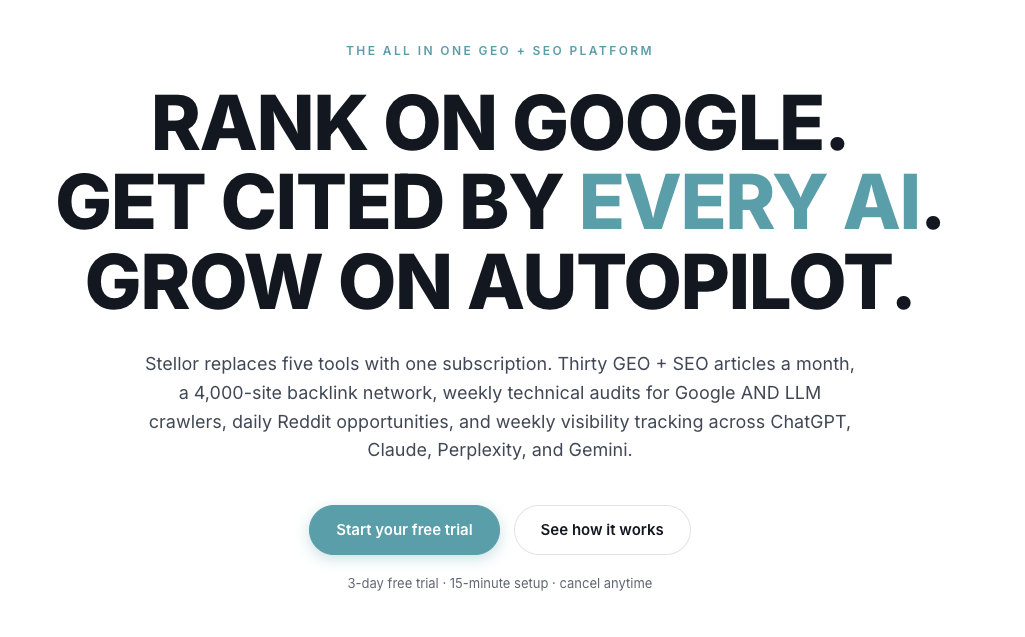
Trystellor publishes 30 SEO-optimized articles per month to your CMS, each built with the internal linking structure and schema markup that pillar page SEO requires. The platform’s 4,000-site backlink network reinforces your pillar’s authority from external sources, while weekly technical audits catch broken links, schema errors, and crawl gaps before they cost you rankings. Trystellar also tracks your AI citation status across ChatGPT, Claude, Perplexity, and Gemini every week, so you know exactly which prompts your pillar pages are winning. Explore the full platform features or start with a free AI Visibility Audit, no credit card required.
FAQ
What is a pillar page in SEO?
A pillar page is a comprehensive page covering a broad topic that links to multiple cluster pages, each addressing a specific subtopic. Together, they form a topic cluster that signals topical authority to search engines.
How does a pillar page differ from a cluster page?
A pillar page covers the broad topic and links out to all related subtopics. A cluster page covers one specific subtopic in depth and links back to the pillar, completing the hub-and-spoke structure.
How long should a pillar page be?
Pillar pages typically run 2,000 words or more. The goal is comprehensive coverage of the broad topic, not a specific word count. Depth and internal linking matter more than length alone.
Does schema markup help pillar pages rank?
Proper schema markup increases the chance of appearing in AI Overviews and AI-generated answers, though it is not a direct ranking factor. FAQPage and HowTo schema must match the visible content on the page to be effective.
How many cluster pages does a pillar page need?
A minimum of six cluster pages gives search engines enough signal to recognize the topic cluster. Most well-performing pillar pages have ten or more cluster pages supporting them, added consistently over time.