

An llms.txt file is a standardized Markdown document placed at your website’s root that tells large language models exactly which pages to read and why. Think of it as a curated table of contents built specifically for AI, not for human browsers or search crawlers. Where robots.txt controls access and sitemap.xml lists every indexable page, llms.txt does something different: it points AI systems toward your most relevant, machine-readable content so they can understand your site without crawling thousands of noisy HTML pages.
Here is what llms.txt does for your site at a glance:
- Provides a concise, parseable index of your most important content
- Guides AI retrieval at inference time, when a user is actively asking questions
- Complements robots.txt and sitemap.xml without replacing either
- Links to clean Markdown versions of pages rather than JavaScript-heavy HTML
- Signals to AI coding assistants, RAG pipelines, and chatbots where authoritative content lives
Pro Tip: When writing link descriptions inside your llms.txt, keep each one under 120 characters and describe what the page actually contains. “Pricing page for enterprise plans” beats “Learn more about our plans” every time.
Table of Contents
- Why llms.txt exists and the problem it solves
- How the llms.txt file format works
- What a well-structured llms.txt looks like
- Documentation
- Examples
- Optional
- Where llms.txt fits in your AI content strategy
- How to create and deploy your llms.txt file
- How Trystellor uses llms.txt to improve AI visibility
- Security and privacy considerations for llms.txt
- Key Takeaways
- FAQ
Why llms.txt exists and the problem it solves
Large language models face a structural problem when working with most websites. Context windows are too small to ingest an entire site, and converting complex HTML pages packed with navigation menus, ads, and JavaScript into clean plain text is both difficult and imprecise. A model trying to answer a user’s question about your API documentation should not have to wade through cookie banners and footer links to find it.
The proposal for llms.txt was authored by Jeremy Howard and published in September 2024. The core insight: websites serve two audiences now, human readers and AI agents, and those audiences need different things. Humans benefit from visual design and navigation. LLMs benefit from concise, expert-level information gathered in one accessible location.
The official specification makes the distinction clear. A sitemap.xml lists every indexable page, but it often won’t include LLM-readable Markdown versions, won’t link to external resources that add context, and will point to far more content than fits in any context window. llms.txt solves all three problems by curating rather than cataloging.
- robots.txt: controls what crawlers can access
- sitemap.xml: lists all indexable pages for search engines
- llms.txt: curates the most important machine-readable content for AI inference
How the llms.txt file format works
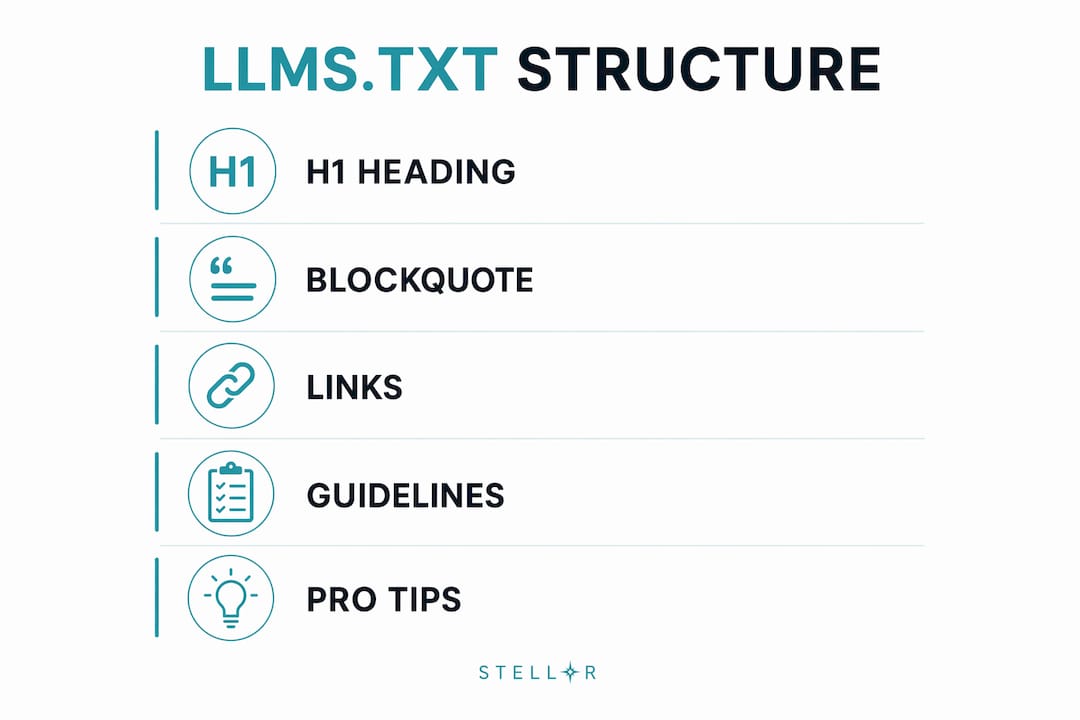
The llms.txt specification defines a tight, predictable structure. A parser can walk the file with four simple rules and a few lines of regex. No YAML, no JSON, no custom headers required.

| Field | Required? | Syntax |
|---|---|---|
| H1 heading (site/project name) | Yes, exactly one | # Project Name |
| Blockquote summary | Strongly recommended | > One-sentence description. |
| Free Markdown body | Optional | Paragraphs or lists, no additional headings |
| H2 file-list sections | Optional | ## Section Name followed by a link list |
| Link items | Required inside sections | - Title: short note |
| “Optional” section | Optional, special meaning | Items here may be skipped by context-limited AI |
The only mandatory element is a single H1 heading with your project or site name. Everything else is optional but strongly recommended. The blockquote summary immediately after the H1 gives AI systems a one- or two-sentence overview they can quote directly when introducing your project. Common H2 section names include Documentation, API, Examples, Product, and Optional.
All links must use absolute URLs with the https:// scheme. Relative URLs like /docs will not resolve correctly when an AI crawler fetches the file from a different context. The file should be served at /llms.txt in your root directory with Content-Type: text/plain; charset=utf-8 and kept under 20 KB.
The companion file /llms-full.txt takes a different approach: it concatenates the full text of all linked pages into one large Markdown document. AI systems that need complete context in a single request fetch this instead. The trade-off is size. A file with hundreds of pages can run many megabytes, making it impractical for interactive use. Start with a well-curated llms.txt index first, and only add llms-full.txt when you have a clear need for it.
Pro Tip: Keep your llms.txt to 10–30 curated links. An exhaustive list of 200 URLs will be skimmed, not read. Curate your highest-value pages the way you would curate a press kit.
What a well-structured llms.txt looks like
Here is a concrete example based on the FastHTML project format from the official specification:
# FastHTML

> FastHTML is a Python library for building web applications with minimal boilerplate.

FastHTML prioritizes simplicity and speed for developers building production-ready apps.

## Documentation
- Getting Started: Installation and first app tutorial.
- Core Concepts: Routing, components, and state management.
- API Reference: Full function and class reference.

## Examples
- Todo App: A complete CRUD example with database.
- Auth Example: Session-based authentication walkthrough.

## Optional
- Changelog: Version history and release notes.
- GitHub: Source code and issue tracker.
The structure above demonstrates several best practices at once. The H1 is clean and unadorned. The blockquote is factual and quotable. Each link description tells an AI what it will find, not what to feel about it. The Optional section holds lower-priority content that a context-limited model can safely skip.
Common errors that break real implementations:
- Missing H1: The file starts with a paragraph or blockquote instead of the required heading
- Relative URLs: Links written as
/docs/startinstead ofhttps://example.com/docs/start - Keyword-stuffed descriptions: Writing “Best Python web framework tutorial for beginners 2026” instead of a plain factual note
- Wrong content type: Serving the file as
text/htmlcauses some parsers to reject it entirely - Listing every page: Treating llms.txt like a sitemap defeats its purpose as a curated index
Pro Tip: Link to clean .md versions of your pages rather than their HTML counterparts. A URL like https://example.com/docs/api.md gives AI systems plain text without navigation noise, ads, or JavaScript rendering requirements.
| Common error | Impact | Fix |
|---|---|---|
| Relative URLs | File unusable when fetched by AI crawlers | Always use absolute https:// URLs |
| Missing blockquote | Harder for models to parse; non-compliant | Add > summary immediately after H1 |
| Wrong Content-Type | Some parsers reject the file | Serve as text/plain; charset=utf-8 |
| Keyword stuffing | Degrades AI understanding of content | Write plain, factual descriptions |
| File over 20 KB | Pushes against context limits | Move bulk content to llms-full.txt |
Where llms.txt fits in your AI content strategy
The file does not operate in isolation. It sits alongside your existing discovery infrastructure and extends it for AI-specific use cases. Understanding AI-driven content discovery is increasingly central to any modern SEO strategy.
AI coding assistants use llms.txt to quickly locate API documentation and code examples without crawling your entire developer portal. RAG (retrieval augmented generation) pipelines fetch the file to build an index of authoritative sources before answering user queries. Chatbots with search functionality use it to understand what a site offers before deciding which pages to retrieve.
The llms_txt2ctx command-line tool converts your llms.txt into a single LLM context file, which you can then feed to multiple models to test whether they can accurately answer questions about your content. This is one of the most practical validation steps available: if a model cannot answer basic questions about your site after reading your llms.txt context, your file needs better links or better descriptions.
- AI coding assistants: locate documentation and API references quickly
- RAG pipelines: build source indexes before query time
- Research agents: understand site scope before deep retrieval
- Chatbots: determine which pages to fetch for a given user question
Pro Tip: Run the llms_txt2ctx tool on your file and test at least three different AI models with questions your customers actually ask. If the answers are wrong or incomplete, the problem is almost always in your link descriptions, not your page content.
How to create and deploy your llms.txt file
Building a compliant llms.txt is straightforward. The work is in the curation, not the syntax.
- Draft your H1 and blockquote. Start with your site or project name as the H1. Write a one- or two-sentence blockquote that an AI could quote verbatim when describing your site.
- Identify your 10–30 most important pages. Focus on documentation, core service pages, API references, and key guides. Skip blog archives, tag pages, and anything a user would not send directly to a colleague.
- Write absolute URLs for every link. Confirm each URL returns a 200 status and, where possible, points to a
.mdversion of the page. - Write plain, factual descriptions. One sentence per link, under 120 characters, describing what the page contains.
- Add an Optional section for lower-priority content like changelogs, social profiles, or archived posts.
- Serve the file correctly. Place it at
/llms.txtin your root directory. SetContent-Type: text/plain; charset=utf-8. Cache it aggressively.
On the testing side, Chrome Lighthouse’s Agentic Browsing audit checks for llms.txt. A missing file returns N/A (the file is optional), but a server error on fetch triggers a failure flag. One real-world lesson from Lighthouse issue tracking: if your llms.txt is generated dynamically (as WordPress plugins like Rank Math do), uncached responses can exceed Lighthouse’s 2-second fetch timeout and cause false failures. The fix is straightforward: add a CDN cache rule with at least a one-day edge TTL for /llms.txt.
Common pitfalls to avoid during deployment:
- Serving a blank or empty file (worse than no file at all)
- Generating the file dynamically without caching, causing slow responses
- Forgetting to update the file when you add or remove major pages
- Using a subdirectory path like
/docs/llms.txtwhen your primary file should live at root
How Trystellor uses llms.txt to improve AI visibility
Trystellor builds llms.txt readiness directly into its weekly technical audit cycle. The platform runs checks calibrated for AI crawler signals, including llms.txt compliance, schema markup completeness, and structured data integrity, alongside traditional Google ranking factors. Issues surface in the dashboard with one-click fixes, so you do not need a developer to stay current.

The LLM visibility tracking module goes further. Every week, Trystellor queries ChatGPT, Claude, Perplexity, and Gemini using the exact prompts your buyers type, then reports where your business is cited and where competitors appear instead. This turns AI citation performance into a measurable channel with week-over-week trends rather than a guessing game.
Practical tactics Trystellor applies when configuring llms.txt for clients:
- Align llms.txt links with the same pages that carry schema markup, so AI systems encounter consistent structured signals across both discovery methods
- Prioritize service and location pages in the main sections, and move blog content to Optional
- Pair each llms.txt link with a
.mdversion of the target page for cleaner AI retrieval - Update the file within 48 hours whenever a major page is added, renamed, or removed
- Cross-reference llms.txt performance against weekly AI citation reports to identify which linked pages are actually being cited
Google’s own guidance is worth stating plainly: Google Search does not use llms.txt as a ranking or indexing factor. The search engine recommends focusing on standard SEO fundamentals rather than AI-specific metadata files. That does not make llms.txt useless. It means the file’s value lies in non-Google AI systems: the answer engines, coding assistants, and RAG pipelines that are increasingly where buyers start their research. If you want to appear in ChatGPT recommendations, llms.txt is one of the clearest signals you can send.
For businesses modernizing their SEO strategy for AI search, llms.txt fits into a broader stack that includes schema markup, internal linking depth, and content structured around specific buyer queries.

Trystellor’s platform starts at $199 per month, includes a full AI visibility audit across 25 buyer prompts, and comes with a three-day free trial, no credit card required. The audit covers your current AI citation status, a competitor benchmark, and a custom 90-day action plan that includes llms.txt configuration as a first-week deliverable.
Security and privacy considerations for llms.txt
The llms.txt specification is designed as a public file. It lives at your root directory with no authentication, no personalization, and no access controls. That simplicity is intentional, but it carries implications worth understanding before you deploy.
Do not include internal URLs, staging environment links, or any path you would not want publicly indexed. Because AI crawlers fetch the file on demand, anything you link becomes fair game for retrieval. If a page requires a login or contains sensitive data, keep it out of llms.txt entirely.
The file also creates a clear map of your site’s most important content. A competitor or scraper who reads your llms.txt immediately knows which pages you consider authoritative. This is not a security vulnerability in the traditional sense, but it is a disclosure worth factoring into your content strategy. Treat llms.txt the way you would treat a public press kit: include what you want the world to know, and nothing else.
On the privacy side, the spec explicitly states that authentication and personalization are out of scope. You cannot serve different llms.txt content to different users or AI systems. The file is always public, always static from the requester’s perspective, and always the same regardless of who fetches it.
Key Takeaways
A well-structured llms.txt file gives AI language models a curated, parseable index of your most important content, improving retrieval quality without replacing robots.txt or sitemap.xml.
| Point | Details |
|---|---|
| One required element | The H1 heading with your site name is the only mandatory field; everything else is optional but strongly recommended. |
| Curate, don’t catalog | Keep your file to 10–30 high-value links; exhaustive lists degrade AI retrieval quality. |
| Absolute URLs only | Relative URLs break when AI crawlers fetch the file outside your domain context. |
| Google ignores it | Google Search does not use llms.txt as a ranking factor; its value is in non-Google AI systems like ChatGPT and Perplexity. |
| Cache your file | Dynamic generation without caching can exceed Lighthouse’s 2-second fetch timeout and trigger false audit failures. |
FAQ
What is an llms.txt file?
An llms.txt file is a Markdown document placed at a website’s root that gives AI language models a curated index of the site’s most important, machine-readable content. It was proposed by Jeremy Howard in September 2024 and follows a fixed specification at llmstxt.org.
How is llms.txt different from robots.txt?
robots.txt controls which pages crawlers can access. llms.txt tells AI systems which pages are most worth reading at inference time, when a user is actively asking a question. They serve different purposes and work best when used together.
Does llms.txt help with Google rankings?
No. Google has stated that it does not use llms.txt as a ranking or indexing signal. The file’s value is in non-Google AI systems, including ChatGPT, Perplexity, Claude, and RAG-based tools that rely on it to understand your site.
What happens if my llms.txt has errors?
Common errors like relative URLs, a missing H1, or the wrong content type can cause AI parsers to reject the file entirely. Chrome Lighthouse flags server errors when fetching the file, though a missing file returns N/A rather than a failure.
How often should I update my llms.txt?
Update it within 48 hours whenever you add, rename, or remove a major page. For most sites, a monthly review is sufficient to keep the file accurate and aligned with your current content priorities.