

TL;DR:
- An internal linking strategy connects website pages to distribute authority and guide crawlers. Proper linking reduces orphan pages and improves site structure, enhancing Google rankings. Regular audits fix broken links, orphan pages, and excessive link depth, maintaining optimal website health.
An internal linking strategy is a deliberate system for connecting your website’s pages through hyperlinks to distribute authority, guide crawlers, and improve user navigation. Done correctly, it passes link equity earned from external backlinks to your most important pages, signals topical relevance to Google, and keeps visitors moving through your site. This guide covers the mechanics, best practices, audit process, and tactical execution SEO professionals need to get measurable results in 2026.
How does internal linking affect SEO and site architecture?
Internal links are the primary mechanism for distributing PageRank across your site. Google’s PageRank algorithm divides authority evenly among all outbound links on a page. That makes PageRank allocation zero-sum: every additional link you add to a page reduces the authority each individual link passes. The practical implication is clear. You should link selectively, prioritizing cornerstone pages and pages that need a ranking boost over shallow or redundant content.
Link depth is equally critical. Pages at depth 3–4 from the homepage receive better crawl frequency and stronger ranking signals than pages buried deeper. If a key service page requires seven clicks to reach from the homepage, Googlebot may crawl it infrequently or skip it entirely. Reducing link depth is one of the fastest structural fixes available to SEO professionals.
Internal links fall into two categories: navigational and contextual. Navigational links appear in menus, footers, and breadcrumbs. They provide consistent site structure. Contextual links appear within the body of content and carry stronger topical relevance signals because they sit inside semantically related text. Both types matter, but contextual links do more work for topical authority.
- Navigational links: Menus, footers, breadcrumbs. Consistent across pages. Signal site hierarchy.
- Contextual links: Embedded in body content. Carry semantic relevance. Pass more targeted authority.
- Cornerstone pages: High-value pages covering broad topics. Should receive the most internal links.
- Deep pages: Specific, detailed content. Should link back up to cornerstone pages.
Pro Tip: Audit your top 10 organic landing pages and count how many internal links point to each. If your highest-traffic pages are not also your most internally linked pages, you have a misalignment that is costing you rankings.
What are the best practices for anchor text and link placement?
Anchor text is a primary relevance signal for Google. Descriptive, natural anchors tell both users and search engines exactly what the linked page covers. Generic anchors like “click here” or “read more” provide zero semantic value and waste the link’s potential.
The optimal anchor text length is 2–6 words. Short enough to be scannable, long enough to carry a meaningful keyword phrase. “Local SEO link building” works. “Here” does not. “This article about local SEO link building strategies that actually work for service businesses in competitive markets” is too long and dilutes the signal.
Anchor text variation matters when you link to the same page multiple times. Varying anchors across multiple links to the same destination prevents manipulative signaling and keeps your link profile natural. If three blog posts all link to your plumbing services page, use “plumbing services,” “local plumber SEO,” and “plumber ranking guide” as anchors rather than repeating the exact same phrase.
- Use descriptive, keyword-relevant phrases (2–6 words).
- Avoid generic anchors: “click here,” “read more,” “learn more.”
- Vary anchor text when linking to the same page from multiple locations.
- Place contextual links within the first 200 words of a section when the topic is directly relevant.
- Use dofollow links for pages you genuinely recommend. Dofollow internal links pass authority; nofollow links do not.
- Reserve nofollow for login pages, duplicate content, or pages you do not want indexed.
Pro Tip: Build a simple spreadsheet mapping each target page to its approved anchor text variants. Cap each variant at three uses site-wide. This prevents over-optimization and keeps your anchor profile diverse without requiring you to reinvent anchors every time you publish.
How to audit internal links and fix common issues
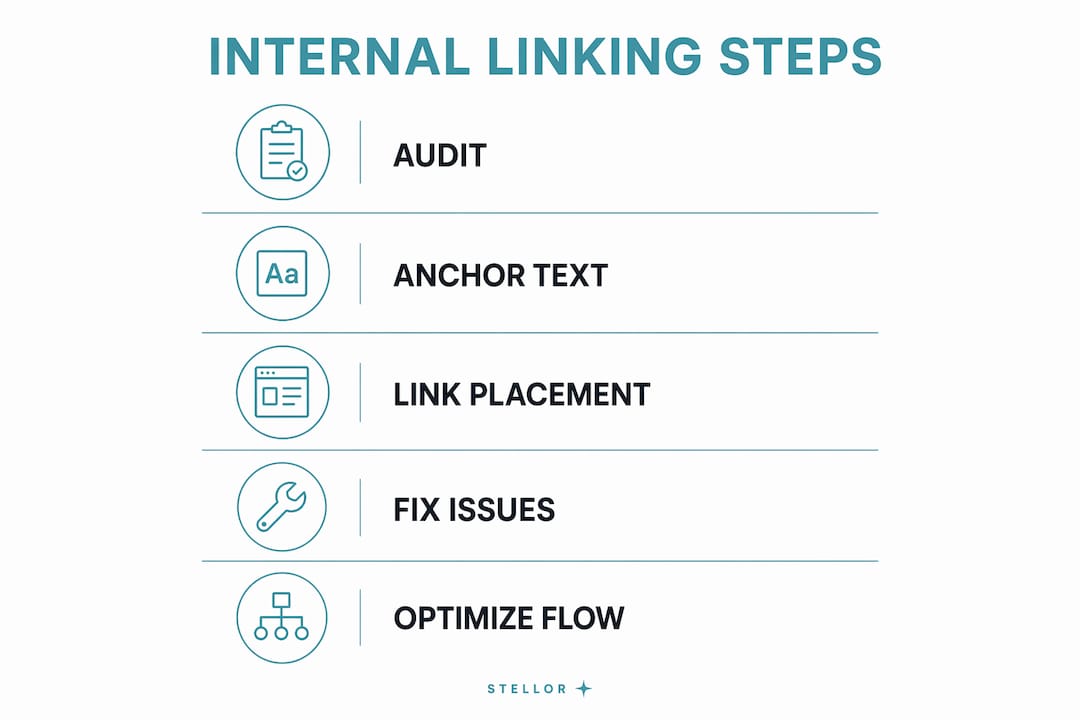
A link audit starts with a full site crawl. Tools like Screaming Frog and Sitebulb map every internal link on your site, flag broken URLs, identify orphan pages, and show link depth for every page. Run a crawl before making any structural changes so you have a baseline to measure against.
Broken internal links degrade user experience and waste crawl budget. When Googlebot follows a broken link, it hits a dead end and moves on. Fix broken links by updating the URL, setting up a 301 redirect, or removing the link entirely if the destination page no longer exists.
Orphan pages are a silent ranking killer. Orphan pages with no incoming internal links risk poor indexing and low rankings even when they appear in your XML sitemap. Googlebot discovers pages primarily through links, not sitemaps. If a page has no internal links pointing to it, crawlers rarely find it. Fix orphans by identifying relevant existing content and adding contextual links to the orphaned page.
Audit process (run quarterly):
- Crawl the full site with Screaming Frog or Sitebulb. Export the internal links report.
- Filter for broken links (4xx and 5xx status codes). Fix or redirect each one.
- Export the list of pages with zero inbound internal links. These are your orphans.
- For each orphan, find two or three relevant pages and add contextual links.
- Check link depth. Flag any important pages more than four clicks from the homepage.
- Count total links per page. Keeping total links per page under 100–150 protects crawl budget on large sites.
| Issue | Impact | Fix |
|---|---|---|
| Broken internal links | Wastes crawl budget, harms UX | Update URL or add 301 redirect |
| Orphan pages | Poor indexing, low rankings | Add contextual links from relevant pages |
| Excessive link depth | Infrequent crawling | Add breadcrumbs, reduce click distance |
| Too many links per page | PageRank dilution | Trim to under 100–150 total links |
| Generic anchor text | Weak relevance signals | Replace with descriptive 2–6 word phrases |
For home services sites, effective HVAC website structure provides a practical example of how reducing link depth and organizing service pages improves both crawlability and conversion rates. The same principles apply across any service-based site.
How to implement an effective internal linking strategy
The pillar-cluster model is the most reliable framework for building topical authority through internal links. A pillar page covers a broad topic comprehensively. Cluster pages cover specific subtopics in depth. Every cluster page links back to the pillar, and the pillar links out to each cluster. This creates a web of topical relevance that signals authority to Google on the entire subject area.

The recommended frequency for contextual links is 2–5 per 1,000 words. That range keeps topical relevance high without triggering spam signals or diluting PageRank too aggressively. A 2,000-word article should contain 4–10 contextual internal links, placed where they genuinely help the reader find related information.
Breadcrumb navigation and HTML sitemaps reduce link depth and provide additional crawlable paths through your site. Breadcrumbs are especially valuable for e-commerce and multi-location service sites where category structures run deep. An HTML sitemap gives Googlebot a direct path to every page without relying solely on navigational menus.
| Approach | Best for | Key benefit |
|---|---|---|
| Pillar-cluster model | Content-heavy sites, topical authority | Groups related content, signals expertise |
| Breadcrumb navigation | E-commerce, multi-location services | Reduces link depth, aids crawlability |
| HTML sitemap | Large sites with deep page hierarchies | Ensures all pages are crawlable |
| Contextual body links | Blog posts, guides, service pages | Passes targeted authority, aids UX |
| Homepage linking | High-priority conversion pages | Maximizes authority flow to key pages |
Avoid over-linking to the homepage. Many sites funnel too much internal link equity to the homepage, which already receives the most external backlinks. Instead, use your high-authority pages to link directly to service pages, location pages, and cluster content that needs ranking support. This is where local SEO link building pays dividends: distributing authority from strong pages to geographically targeted content accelerates local rankings.
Embed links naturally within prose. A link placed mid-sentence, inside a relevant claim, reads naturally and earns clicks. A link tacked onto the end of a paragraph as an afterthought gets ignored by both users and crawlers. For niche applications, the plumber local ranking guide shows how contextual linking within service-specific content builds topical clusters that outperform generic site structures.
Internal linking is the most controllable SEO lever available. Unlike backlink acquisition, you can implement changes today without external outreach, approvals, or budget. That immediacy makes it the first place to look when rankings stagnate.
Key Takeaways
A well-executed internal linking strategy distributes PageRank to priority pages, reduces orphan pages, and builds topical authority faster than most other on-page tactics.
| Point | Details |
|---|---|
| PageRank is zero-sum | Limit links per page to protect authority flow to your most important pages. |
| Anchor text drives relevance | Use descriptive 2–6 word phrases and vary them when linking to the same page. |
| Orphan pages hurt rankings | Add contextual links to any page with zero inbound internal links. |
| Depth determines crawl frequency | Keep key pages within 3–4 clicks of the homepage using breadcrumbs and sitemaps. |
| Audit quarterly | Run full crawls with Screaming Frog or Sitebulb to catch broken links and depth issues. |
What most SEO guides get wrong about internal linking
The advice I see repeated most often is “just add more internal links.” That framing misses the point entirely. More links do not mean more authority. They mean less authority per link. I have audited sites with 300 internal links on a single page and wondered why their cornerstone content was not ranking. The answer was right there: the PageRank was spread so thin across so many links that no individual page received a meaningful signal.
The second mistake I see constantly is treating internal linking as a one-time setup task. Site architecture changes. New content gets published. Old pages get updated or deleted. A link structure that worked well 18 months ago may now be sending authority to outdated pages while leaving your best new content as orphans. Quarterly audits are not optional for serious SEO work. They are the maintenance schedule that keeps the whole system running.
My honest recommendation: start with your top 20 pages by organic traffic. Map every internal link pointing to each one. Then map every internal link pointing away from each one. You will immediately see where authority is pooling and where it is leaking. Fix the leaks first. Then build the pillar-cluster structure around your core topics. That sequence produces faster results than any other approach I have used.
— Cole
How Trystellor supports your internal linking and SEO audits
SEO professionals who manage internal linking manually across large sites know how quickly the process becomes unmanageable. Trystellor runs weekly technical audits covering internal linking depth, broken links, orphan pages, and crawl budget signals, all surfaced in a single dashboard with one-click fixes.

The platform publishes 30 SEO-optimized articles per month to your CMS, each built with the correct internal linking structure and schema markup from day one. That means every new piece of content enters your site already connected to your pillar pages, not as an orphan waiting to be discovered. Trystellor also tracks your AI citation performance across ChatGPT, Claude, Perplexity, and Gemini, so you can see whether your linking structure is helping you get cited in AI answers. A 3-day free trial is available with no credit card required.
FAQ
What is an internal linking strategy?
An internal linking strategy is a deliberate plan for connecting your website’s pages through hyperlinks to distribute authority, guide crawlers, and improve user navigation. It determines which pages link to which, using what anchor text, and at what frequency.
How many internal links should I include per page?
Best practice recommends 2–5 contextual links per 1,000 words in body content, with total links per page kept under 100–150 to protect crawl budget.
What happens if I have orphan pages?
Orphan pages with no incoming internal links are rarely crawled and typically rank poorly, even if they appear in your XML sitemap. Fix them by adding contextual links from relevant existing content.
Should internal links be dofollow or nofollow?
Internal links should be dofollow for any page you want indexed and ranked. Reserve nofollow for login pages, duplicate content, or pages you intentionally exclude from indexing.
How often should I audit my internal links?
Run a full internal link audit quarterly using a crawl tool like Screaming Frog or Sitebulb. Catch broken links, orphan pages, and depth issues before they compound into ranking problems.